Database workbench for developers
Query. Explore. Compare. Understand.
A fast, native SQL workspace for developers working with MySQL, PostgreSQL, and SQLite.
Free to use every day. No subscription required for Pro.
Everything you need
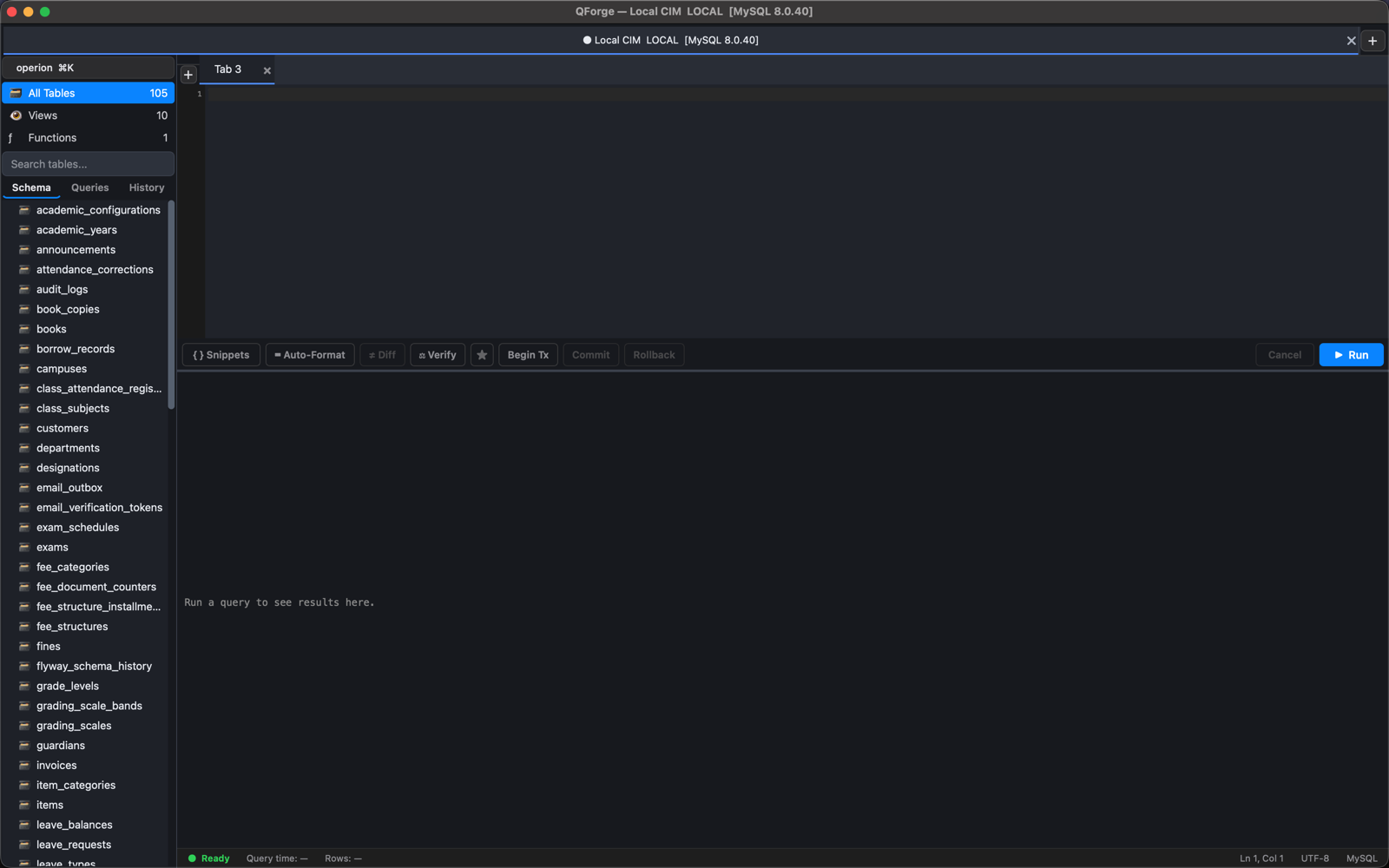
A SQL editor, schema browser, and query-analysis tools in one focused native app.
SQL Editor
Write and execute SQL with schema-aware autocomplete, formatting, and snippets.
Schema Explorer
Browse tables, views, functions, indexes, and foreign keys without writing a query first.
ER Diagrams
Understand database relationships visually, generated from your live schema.
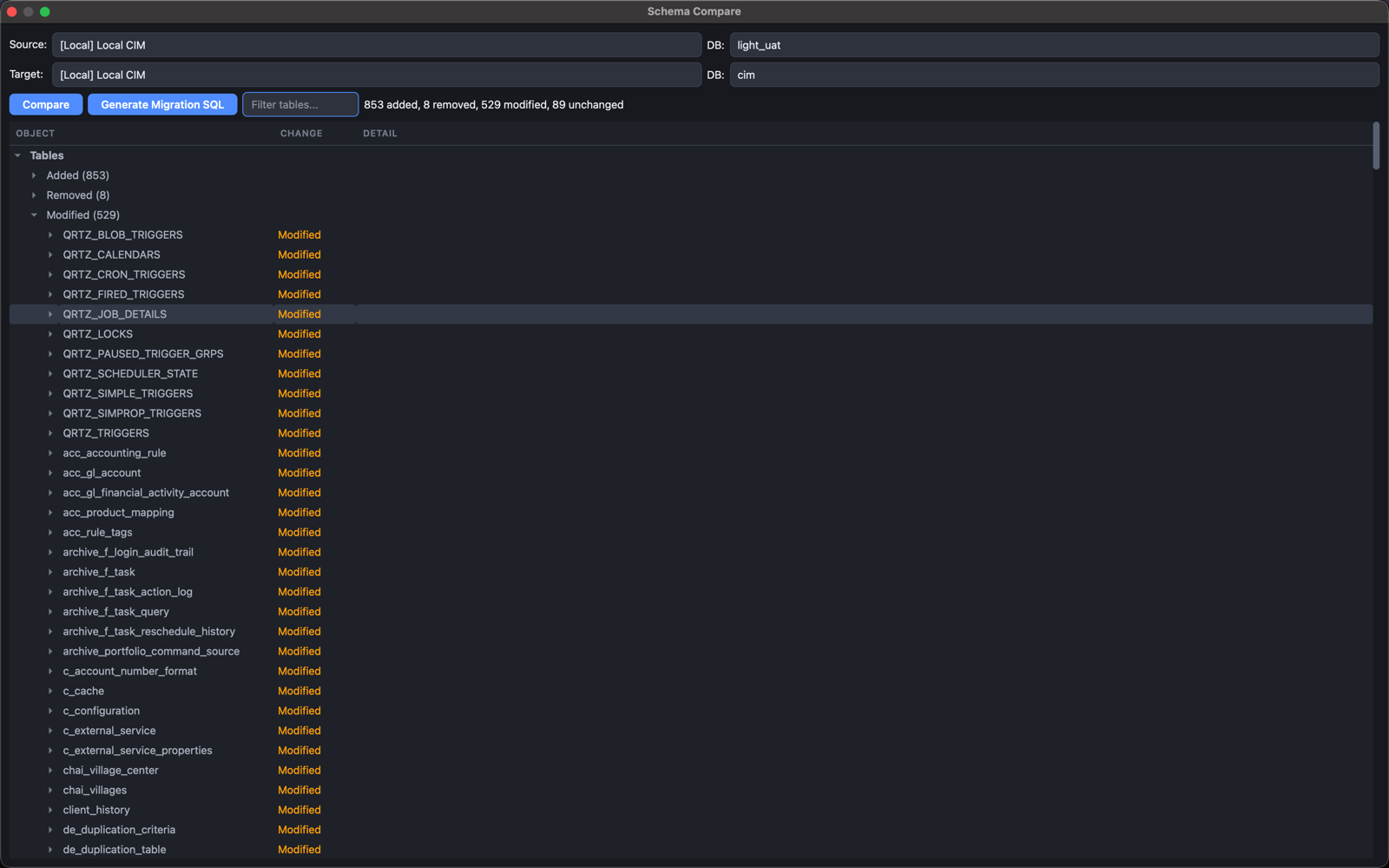
Schema Compare
Identify structural differences between two databases before they become deployment problems.
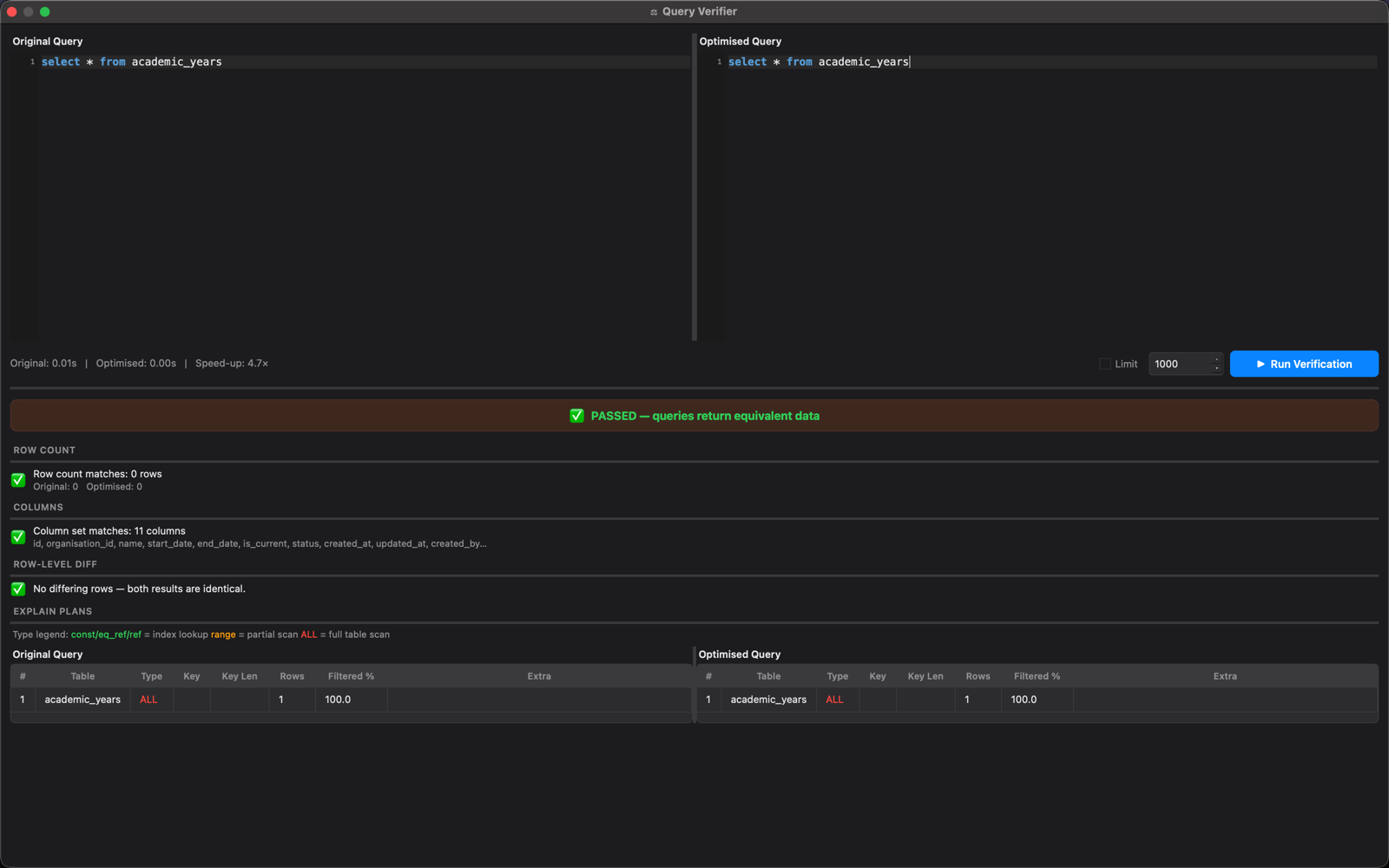
Query Analysis
Inspect available EXPLAIN plans and compare query results, row/column diffs, and timings.
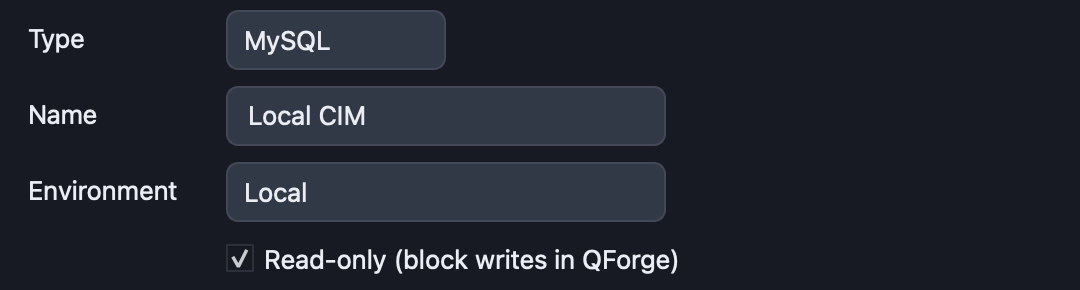
Read-only Mode
Block writes before they reach the database when working with sensitive environments.
Built for real database work
QForge is designed around the workflow developers actually use.
Fast
A focused native workspace without unnecessary complexity.
Visual
Understand database structure through schema exploration and ER diagrams.
Safe
Use read-only workflows when working with sensitive or production databases.
Insightful
Go beyond query execution with schema comparison and query analysis.
Understand your database
Stop navigating unfamiliar schemas table by table. Explore relationships and structure visually with the Schema Explorer and ER diagrams.
Compare databases
Quickly identify structural differences between environments before they become deployment problems.
Understand your queries
Inspect query execution and performance — available EXPLAIN plans and result diffing, not just raw output.
Work safely
Reduce accidental writes when working with production or sensitive databases with Read-only mode.
Built with developer feedback — QForge's feature set is shaped by real day-to-day database work, not guesswork.
Supported databases
Connect directly, with SSH tunneling when you need it.
- MySQL
- PostgreSQL
- SQLite
- More engines exploring
Free vs. Pro
QForge Free is for developers who want to try QForge — everyday database work, no license required, no internet connection needed. QForge Pro is for developers who use QForge as their primary database workbench — it removes Free's limits and unlocks Schema Compare and full ER diagrams.
| Free | Pro | |
|---|---|---|
| Saved connections | 5 | Unlimited |
| Query tabs per connection | 5 | Unlimited |
| Saved queries | Unlimited | Unlimited |
| Query history | 50 entries | Unlimited |
| ER diagram | First 10 tables | Full diagram |
| Schema Compare | — | ✓ |
| Priority support | — | ✓ |
Pricing
Pro is a one-time purchase — lifetime feature access, no subscription.
Most flexible
Two devices
₹7,599 lifetime
- All Pro features, no expiry
- Use on 2 devices at once
Is this a subscription?
No. It's a one-time purchase for lifetime feature access. Only continued app updates after the first year require an optional renewal.
How many devices can I use it on?
Whatever the tier you buy allows — 1 device (Single device) or 2 at once (Two devices).
Can I use QForge offline?
Yes. QForge Free works fully offline, and license activation is an offline signature check.
What if I change computers?
Deactivate the old device from My devices, then activate on the new one.
More questions? See the full FAQ.